How to Build a Recipe App in JavaScript: Save, Search & Scale Servings (Free Source Code)
Build a working recipe app in plain HTML, CSS & JavaScript — add recipes, live search, a servings scaler, cook mode, and localStorage saving. No framework, no backend, just three files.
 CodeFree Team
November 14, 2026
10 min read
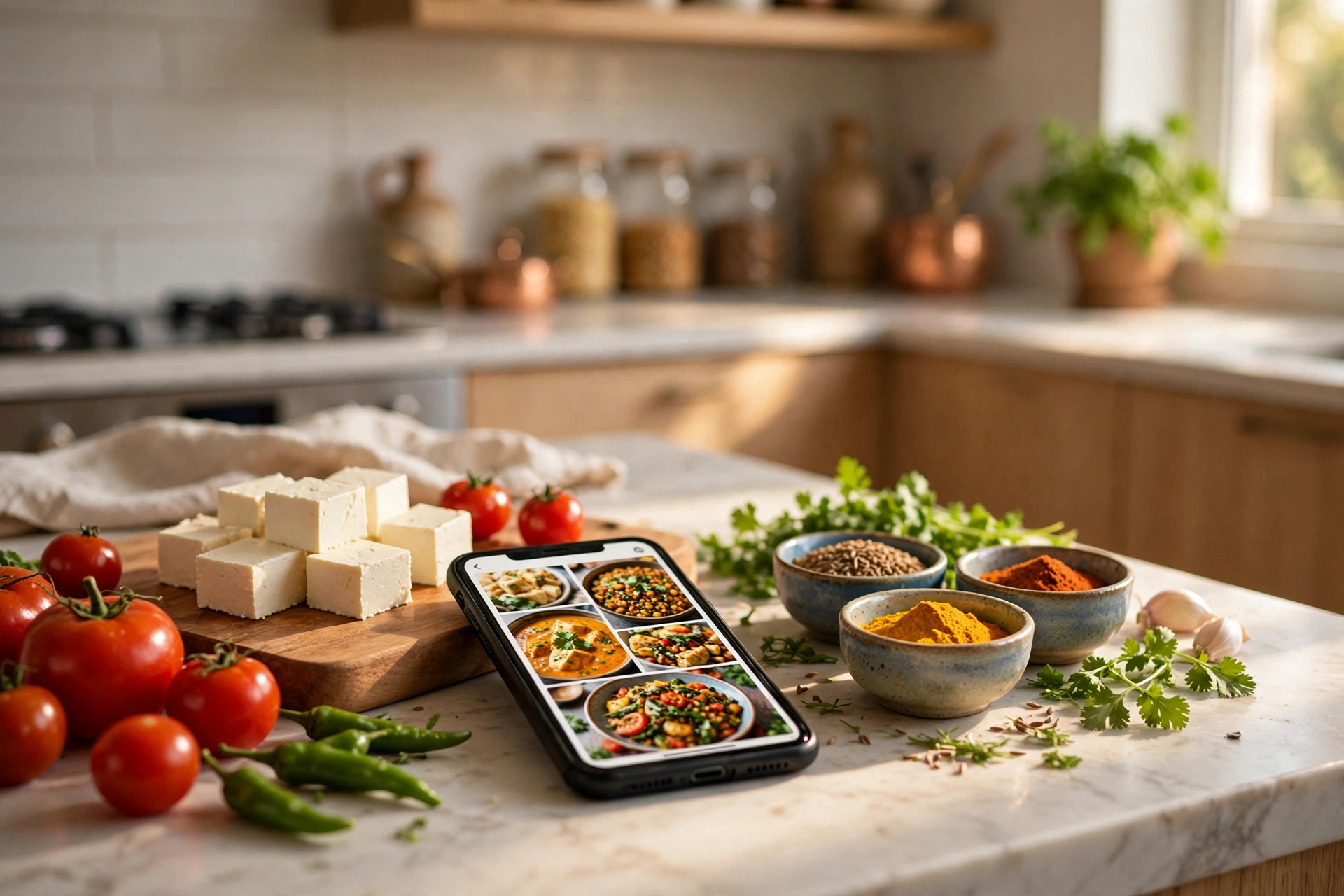
Everyone has a recipe buried in a WhatsApp chat, a screenshot, or a notebook page that nobody can find when it matters. A recipe app fixes that — and it is one of the best beginner JavaScript projects you can build, because it forces you to practise the exact skills real apps use: forms, search, local storage, and a little bit of maths. In this tutorial, you will build a working recipe app in plain HTML, CSS, and JavaScript: add recipes, search them instantly, scale servings up or down, and tick off ingredients in cook mode. No framework, no backend, no build step — just three files you can open in any browser.
By the end, you will have a small app that genuinely works on your phone. And if you would rather skip straight to a finished version, you can download the complete Recipe Keeper source code free from CodeFree — it adds a kitchen timer, favourites, and a polished mobile design on top of everything we build here.
1. What We Are Building (and Why It Is a Great First Project)
Our recipe app has five features, and each one teaches a different core JavaScript skill:
- Add a recipe through a form — teaches form handling and validation.
- Search and filter by name or category — teaches array filtering and live rendering.
- Scale servings from 2 to 8 and watch quantities update — teaches state and simple maths.
- Cook mode with tappable ingredient checklists — teaches event handling and UI state.
- Save everything in localStorage so recipes survive a refresh — teaches persistence without a server.
That is a surprisingly complete skill set for one small project. A to-do app teaches you lists; a recipe app teaches you lists plus data that changes shape (quantities scale, checklists tick, timers run). If you can build this, you can build an expense tracker, a habit tracker, or a quotation generator — the pattern is the same.
Keep the scope tight. We are not adding user accounts, cloud sync, or photo uploads today. A beginner project that ships beats an ambitious project that stays half-finished in a folder.
2. Project Setup: Three Files, Zero Dependencies
Create a folder called recipe-app and add three files: index.html, style.css, and app.js. Link them the usual way:
<!DOCTYPE html>
<html lang="en">
<head>
  <meta charset="UTF-8">
  <meta name="viewport" content="width=device-width, initial-scale=1.0">
  <title>My Recipe App</title>
  <link rel="stylesheet" href="style.css">
</head>
<body>
  <header><h1>My Recipes</h1></header>
  <main id="app"></main>
  <script src="app.js"></script>
</body>
</html>
The viewport meta tag matters more here than in most tutorials: this is an app you will actually open on your phone while cooking, so design mobile-first from the first line of CSS. Test in your browser at a narrow width (around 380px) as you go, not only at desktop width.
One practical tip: keep a few real Indian recipes as your test data — paneer butter masala, masala dosa, vegetable pulao. Real data exposes real bugs (long ingredient names, fractional quantities like ½ teaspoon) far better than "Test Recipe 1" ever will.
3. The HTML Structure: Search, List, Detail, and a Form
A recipe app has four screens, but they can all live on one page. Build the skeleton first, then make each part work:
<input id="search" type="search" placeholder="Search recipes… (try 'dosa')">
<div id="filters">
  <button data-cat="all">All</button>
  <button data-cat="veg">Veg</button>
  <button data-cat="breakfast">Breakfast</button>
</div>
<section id="recipe-list"></section>
<section id="recipe-detail" hidden></section>
<form id="add-form">…</form>
The list shows recipe cards (name, category, servings, time). Clicking a card opens the detail view: ingredients with quantities, numbered steps, a servings scaler, and a cook-mode toggle. The form stays hidden behind an "Add Recipe" button so the main screen stays clean.
Use semantic tags — section, article, button — instead of divs everywhere. It costs nothing, it helps screen readers, and it makes your CSS selectors read like English. Also give every interactive element a real button or input: a clickable div is a bug waiting to happen on mobile keyboards and assistive tech.
4. The JavaScript Data Model: One Array Runs the Whole App
Everything in the app flows from a single array of recipe objects. Define the shape once and never improvise it later:
const recipes = [
  {
    id: 1,
    name: "Paneer Butter Masala",
    category: "veg",
    servings: 4,
    time: 35,
    ingredients: [
      { name: "Paneer cubes", qty: 250, unit: "g" },
      { name: "Tomatoes", qty: 4, unit: "" },
      { name: "Butter", qty: 2, unit: "tbsp" }
    ],
    steps: ["Heat butter, sauté onions.", "Add tomato puree and spices.", "Add paneer, simmer 10 minutes."]
  }
];
Notice the ingredient shape: quantity as a number, unit as a separate string. That single decision is what makes the servings scaler possible — you cannot multiply the string "250 g" by 2, but you can multiply 250 and re-attach "g" afterwards. Store numbers as numbers, always.
Rendering is a function that turns this array into HTML and nothing else:
function renderList(list) {
  document.getElementById("recipe-list").innerHTML = list
    .map(r => `<article class="card" data-id="${r.id}">
      <h3>${escapeHtml(r.name)}</h3>
      <p>${r.servings} servings · ${r.time} min</p>
    </article>`)
    .join("");
}
Two details matter here. First, escapeHtml() — never inject user-typed recipe names into the page raw, or a stray <script> in a recipe name becomes a real security hole. Second, keep rendering in one place: search, filter, add, and delete all end by calling renderList(). One render function means one place where display bugs can hide.

5. The Servings Scaler: The Feature That Makes It Feel Real
The scaler is the most satisfying feature in the app, and the maths is simple: new quantity = original quantity × (new servings ÷ original servings). Paneer butter masala for 4 needs 250 g of paneer; for 8 servings it needs 500 g; for 2, it needs 125 g.
function scaleIngredients(recipe, newServings) {
  const factor = newServings / recipe.servings;
  return recipe.ingredients.map(ing => ({
    ...ing,
    qty: Math.round(ing.qty * factor * 10) / 10
  }));
}
Rounding to one decimal place keeps quantities readable — nobody wants to measure 187.5 g of onions. A few refinements make it feel professional: round small spice quantities to the nearest quarter teaspoon instead of showing 0.4 tsp; show whole numbers without a trailing ".0"; and never let servings drop below 1. These are tiny touches, but they are exactly the difference between a demo and an app someone actually uses.
Keep the original recipe untouched and only scale a copy for display. If you mutate the stored quantities, scaling 4 → 8 → 4 leaves you with rounding drift, and your recipe slowly corrupts itself. Pure functions that return new data are easier to test and impossible to corrupt this way.

6. Cook Mode and localStorage: Making It Useful in a Real Kitchen
Cook mode is a checklist: tap an ingredient to strike it through, tap a step to mark it done, and see a small progress bar fill up. Implementation is one event listener and a CSS class:
detail.addEventListener("click", (e) => {
  const item = e.target.closest(".checkable");
  if (item) item.classList.toggle("done");
});
One delegated listener on the container handles every ingredient and step, including ones added later — no per-item listeners, no re-binding after every render. Event delegation is one of those patterns that looks like a trick the first time you see it and becomes automatic after the third project.
Persistence is two lines, wrapped in functions so the rest of your code never touches storage directly:
function save() {
  localStorage.setItem("recipes", JSON.stringify(recipes));
}
function load() {
  const saved = localStorage.getItem("recipes");
  return saved ? JSON.parse(saved) : seedRecipes;
}
Call save() after every add, edit, or delete. Call load() once when the app starts, and fall back to your seed recipes if nothing is saved yet. One warning: localStorage only stores strings, so JSON.stringify and JSON.parse are mandatory — and wrap the parse in a try/catch, because a corrupted save should reset to seeds, not crash the app on load.
If you want to go further, this is where the finished Recipe Keeper adds its kitchen timer (a setInterval countdown with a sound alert) and favourites (a boolean on the recipe object, filtered by a star button). Both are natural extensions of the patterns above — no new concepts required.
7. Five Mistakes Beginners Make (and How to Avoid Them)
1. Storing quantities as strings. "250 g" cannot be scaled. Numbers in one field, units in another — decided in section 4, and worth repeating because it is the most common structural mistake.
2. Re-rendering the whole page on every keystroke. Search input fires on every keypress; re-rendering the list each time is fine for 20 recipes, but add a tiny debounce (150 ms) and you learn a pattern every real app uses.
3. No empty state. When a search matches nothing, show "No recipes found — try 'dosa' or add a new recipe" instead of a blank page. Blank pages look broken; a helpful empty state looks designed.
4. Forgetting mobile. Buttons smaller than 44px are hard to tap with wet, floury hands — the exact hands using a recipe app. Test on your actual phone, not just in a desktop browser resized narrow.
5. Skipping validation. A recipe with no name or zero ingredients should show a friendly error, not silently save a broken card. Validate the form, highlight the missing field, and keep the user's typed data in place.
Frequently Asked Questions
Do I need a backend or database for a recipe app?
No. For a personal recipe app, localStorage in the browser is enough — your recipes are saved on your device and survive refreshes. A backend only becomes necessary when you want recipes synced across devices or shared between users.
Can I turn this into a mobile app I can install?
Yes — add a manifest.webmanifest file and a small service worker, and your three files become a Progressive Web App (PWA) that installs on Android and iOS home screens and works offline. The finished Recipe Keeper on CodeFree is built exactly this way.
How do I handle ingredient quantities like "½ teaspoon"?
Store the quantity as a decimal number (0.5) and the unit as "tsp". When you display it, convert common decimals back to fractions — 0.5 becomes ½, 0.25 becomes ¼. The scaler works on the number, and the display stays kitchen-friendly.
How long does this project take a beginner?
About 2–3 hours spread over an evening: 30 minutes on structure, an hour on the JavaScript, and the rest on styling and testing on your phone. If you finish faster, add the kitchen timer next — it is the single most-used feature in a real cooking session.
Want the finished version? Download Recipe Keeper free from CodeFree — the complete source code with servings scaler, cook mode, kitchen timer, favourites, and offline PWA support, ready to use and ready to learn from. Open the code next to this tutorial and you will recognise every pattern we just built.
Keep reading

How to Build a Simple Blog Website in HTML, CSS & JavaScript (Beginner Tutorial 2026)
Build a complete personal blog website with HTML, CSS and JavaScript — post grid, live search, category filters, dark mode and bookmarks. No frameworks, no backend.
Read article
How to Build a WhatsApp-Style Chat UI in HTML, CSS & JavaScript (Beginner Tutorial 2026)
Build a WhatsApp-style chat UI from scratch in HTML, CSS & JavaScript — chat list, message bubbles, typing indicator, auto-reply, and mobile layout.
Read article
How to Build a Delivery Challan Generator in JavaScript (Step-by-Step Tutorial 2026)
Build your own GST-ready delivery challan generator in plain JavaScript — auto totals, challan numbering, and a print-ready challan sheet. Free source code included.
Read article