Best Free Data Table Libraries for Web Developers in 2026: 7 Compared
Tabulator, AG Grid, TanStack Table, DataTables, Handsontable, Grid.js and CodeFree compared — licences, free tiers and the best pick for your dashboard.
 CodeFree Team
November 25, 2026
13 min read
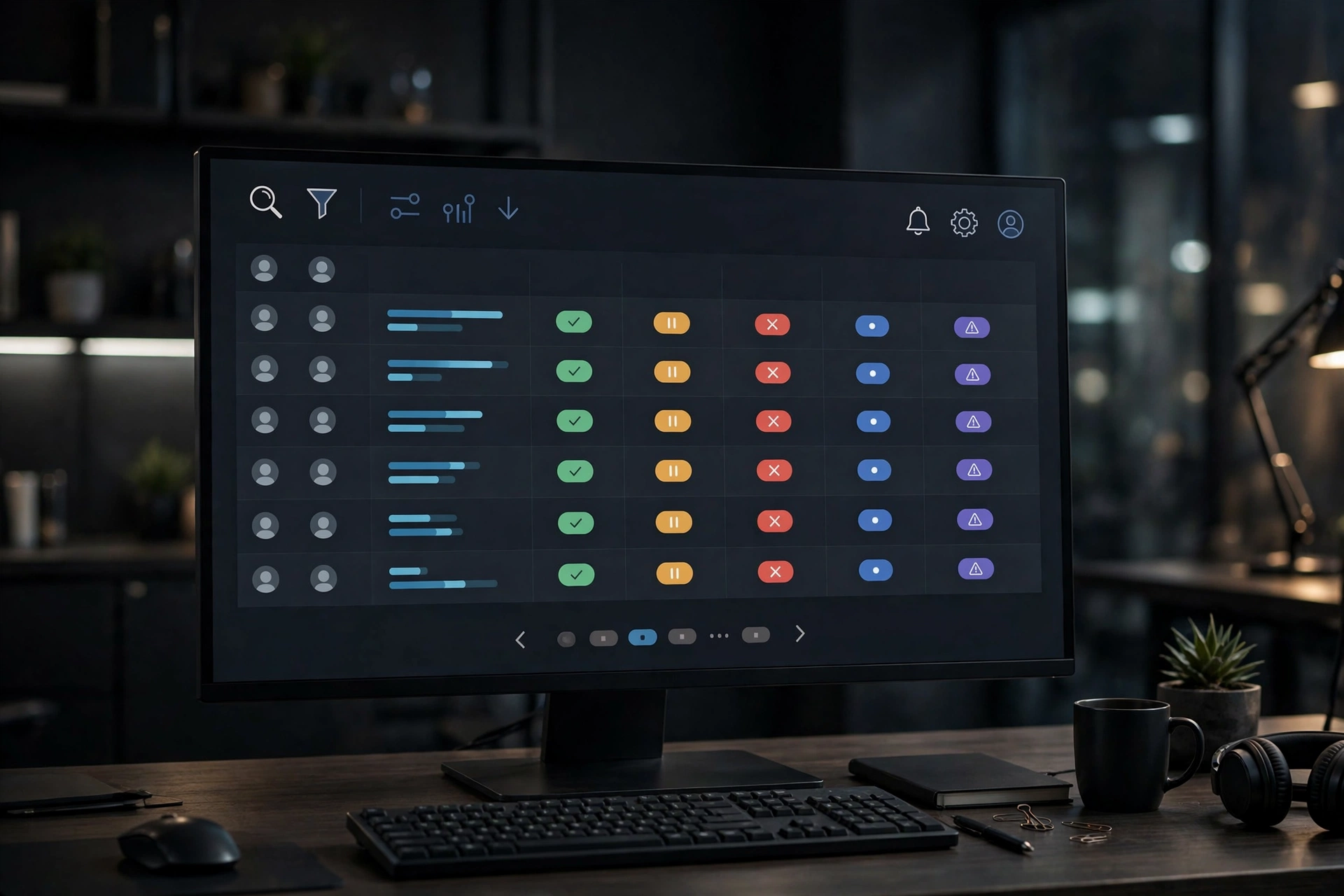
If you have ever built an admin dashboard, an invoice list, a student records page or a small-business CRM, you know the moment: a plain HTML table stops being enough. You need search, sorting, pagination, maybe inline editing — and suddenly you are choosing between a dozen JavaScript data table libraries, each promising to do it all. The wrong pick costs you days of wrestling with configuration; the right one makes your table feel like a finished product in an afternoon.
This guide compares seven free (or free-tier) data table libraries for web developers in 2026 — from full-featured grids to a simple copy-paste kit — so you can pick the right one for your project, your team and your budget. Whether you are an Indian freelancer building a client dashboard on a tight deadline, a small-business owner who wants a sortable product list, or a developer shipping an internal tool, there is an option here that fits.
1. How We Compared Them
We judged every library on the same five things that matter most in real projects:
- Licence and cost: Is it genuinely free to use, or does the free tier hide the features you actually need behind a paywall? We note the licence (MIT, proprietary, and so on) and any paid tier, in rupees where it helps Indian developers judge the cost.
- Features: Sorting, searching, pagination, filtering, editing, grouping, frozen columns, export to Excel or CSV, and tree data — the things real dashboards need.
- Learning curve: Can a beginner get a working table in an hour, or does it need a week of reading docs?
- Performance: How does it behave with hundreds of rows versus tens of thousands?
- Best fit: Small project, enterprise app, React app, or a plain HTML page with no build step at all.
We did not test paid-only products. Every library below has a genuinely usable free option — though, as you will see, "free" means different things for different libraries.

2. The 7 Best Free Data Table Libraries in 2026
2.1 Tabulator — The Most Complete Free Table
Tabulator is the rare library that is both fully free and fully featured. It is released under the MIT licence, has zero dependencies, and — unusually — has no paid tier at all. Everything is included: inline editing, grouping, frozen columns, tree data, clipboard support, and export to Excel, CSV and PDF.
That combination makes it the safest default choice for most developers. You are not going to hit a paywall halfway through a project when a client asks for PDF export or grouped rows. The API is well documented, the community is active, and because there are no dependencies, it drops into any project — a plain HTML page, a PHP dashboard, or a modern framework — without a build step.
The trade-off is that Tabulator is a complete table system, not a headless toolkit, so its default look is its own. You can theme it, but if you want pixel-perfect control over every cell, a headless option like TanStack Table gives you more freedom. For most dashboards, though, Tabulator's defaults look professional out of the box.
Best for: developers who want every feature free, with no paid tier waiting around the corner. Licence: MIT. Price: free, no paid tier.
2.2 AG Grid Community — The Enterprise-Grade Free Grid
AG Grid is the heavyweight of this list. The Community edition is free under the MIT licence, while the Enterprise edition costs $999 per developer. If you are building a data-heavy application — a finance dashboard, a logistics tracker, an analytics tool with tens of thousands of rows — AG Grid Community is the strongest free option available.
Its standout strength is handling huge datasets. The server-side row model lets you load data in chunks from your backend instead of dumping everything into the browser at once, which keeps large tables fast and responsive. It also has one of the most polished feature sets in this list: advanced filtering, grouping, pivoting and aggregation in the Enterprise edition, with a very solid core in the free Community edition.
The catch is the usual one with enterprise tools: the most advanced features — server-side row model extras, Excel export, master-detail views — sit in the $999-per-developer Enterprise tier. At roughly ₹88,000 per developer at current exchange rates, that is a serious budget line for an Indian startup or freelancer, so check carefully whether the Community edition covers your needs before committing. For many projects it does.
Best for: huge datasets and enterprise-style apps. Licence: MIT (Community). Price: Community free; Enterprise $999/developer.
2.3 TanStack Table — The Headless Powerhouse
TanStack Table (formerly React Table) is different from everything else here: it is headless. That means it gives you the logic — sorting, filtering, pagination, grouping, row selection — and no user interface at all. You bring your own markup and styling, which makes it the most flexible option on this list.
It is free under the MIT licence with no paid tier, and it works across frameworks: React, Vue, Solid, Svelte, Angular and Lit are all supported. If you already have a design system, or you are building a product where the table must match your brand exactly, TanStack Table is hard to beat.
The price of that freedom is effort. There is no ready-made table to drop in — you build the table yourself around TanStack's hooks and utilities. That is fine for an experienced developer in a framework project, but overkill if you just need a sortable table on a plain HTML page by tomorrow. Beginners should start with one of the ready-made options and graduate to TanStack when they need its control.
Best for: framework-based apps where you want total control over the design. Licence: MIT. Price: free, no paid tier.
2.4 DataTables — The Reliable Classic
DataTables has been around longer than most libraries on this list, and that longevity is its strength: it is battle-tested, extremely well documented, and there is a plugin or a Stack Overflow answer for almost anything you want to do. The core is free under the MIT licence, and recent versions no longer need jQuery — a welcome change that removes the biggest objection developers used to have.
Out of the box you get search, sorting, pagination and responsive behaviour, plus a huge ecosystem of extensions for buttons, fixed columns, row grouping and more. For a straightforward table on a website — a price list, a directory, a bookings list — DataTables remains one of the fastest ways to get a polished result.
One thing to know before you plan around it: the Editor extension, which adds full inline editing, is paid. If your table needs spreadsheet-style editing, budget for that or pick Tabulator or Handsontable instead. For read-mostly tables with search and sort, though, DataTables is still an excellent free choice.
Best for: classic websites and read-mostly tables with a huge support ecosystem. Licence: MIT core. Price: core free; Editor extension paid.
2.5 Handsontable — The Spreadsheet Experience
If your users think in spreadsheets, Handsontable is the closest thing to Excel in a browser. It offers Excel-like editing, formulas, copy-paste from spreadsheets, and a familiar grid experience that non-technical users pick up instantly. For data-entry tools, inventory sheets and internal admin panels, that familiarity is worth a lot.
Handsontable is proprietary software, and this is where the licence matters: it is free for non-commercial and evaluation use, but commercial projects need a paid licence. That makes it a great choice for learning, prototyping, personal projects and non-commercial work — and a budgeting conversation for a client project or a product you plan to sell.
Before choosing it for a commercial dashboard, check the current licence terms and pricing on the Handsontable website and factor the cost into your project quote. If the budget does not stretch to it, Tabulator gives you editing and formulas-style workflows for free.
Best for: spreadsheet-style data entry and non-commercial projects. Licence: proprietary. Price: free for non-commercial/evaluation use; paid licence for commercial projects.
2.6 Grid.js — The Lightweight Minimalist
Grid.js is the smallest library on this list, and it knows it. It is a tiny, dependency-free MIT-licensed plugin that does exactly three things — search, sort and pagination — and does them well. There is no editing, no grouping, no export and no tree data. For read-mostly tables, that is often all you need.
Its size is its superpower. If you are adding a table to a landing page, a blog, a small business website or a lightweight dashboard where every kilobyte matters, Grid.js loads fast and stays out of the way. Setup takes minutes: point it at your data, and you have a searchable, sortable, paginated table.
Do not pick it for a data-entry app, though. The moment you need editing, bulk actions or export, you will be bolting on features Grid.js was never designed for. Use it where it shines — simple, fast, read-mostly tables — and reach for Tabulator or DataTables when the table needs to do more.
Best for: small, fast, read-mostly tables on lightweight pages. Licence: MIT. Price: free.
2.7 CodeFree Data Table UI Kit — The No-Framework, Copy-Paste Option
Sometimes you do not want a library at all — you want a finished table you can copy into your page and be done. That is what the CodeFree Data Table UI Kit is: a free HTML, CSS and JavaScript download from codefree.cc that gives you sortable, searchable and paginated tables, a bulk-action bar, rows-per-page controls and a dark/light mode toggle.
There is no build step, no npm install and no dependencies — you download the kit, drop the files into your project and customise the markup directly. That makes it the most honest pick on this list for a specific audience: Indian freelancers and small-business developers who need a ready table for a client dashboard, an invoice list or a product catalogue, without learning a new library or setting up a JavaScript toolchain.
It is not a full grid engine — you will not get tree data, server-side row models or Excel export — and it does not pretend to be one. But for small projects, where the table is one part of a bigger job and the deadline is this week, a copy-paste kit that has passed 46 out of 46 end-to-end checks is a genuinely practical choice. It is also a useful starting point if you are learning: the code is plain HTML, CSS and JavaScript, so you can read it, change it and understand exactly how sorting and pagination work.
Best for: small projects and Indian freelancers who want a ready table without npm or a framework. Licence: free download from codefree.cc. Price: free.
3. Comparison Table: All 7 Libraries at a Glance
| Library | Licence | Best for | Free tier | Paid tier |
|---|---|---|---|---|
| Tabulator | MIT | Complete free tables | Everything included | None — no paid tier |
| AG Grid Community | MIT | Huge datasets, enterprise apps | Community edition | Enterprise $999/developer |
| TanStack Table | MIT | Full design control in frameworks | Everything included | None — no paid tier |
| DataTables | MIT core | Classic read-mostly tables | Core library | Editor extension paid |
| Handsontable | Proprietary | Spreadsheet-style editing | Non-commercial / evaluation use | Paid licence for commercial use |
| Grid.js | MIT | Lightweight read-mostly tables | Everything included | None — no paid tier |
| CodeFree Data Table UI Kit | Free download | No-framework copy-paste tables | Everything included | None — no paid tier |
Two patterns stand out. First, MIT-licensed libraries dominate the genuinely free end of this list — Tabulator, TanStack Table and Grid.js give you everything with no paid tier at all. Second, the paid tiers cluster around the same things: advanced editing, export and server-side features. If you do not need those, you may never need to pay anything.

4. How to Pick the Right One for Your Project
Match the library to the job, not to the hype:
- Small business dashboard or client website, no framework: start with the CodeFree Data Table UI Kit for a finished table today, or Tabulator if you need editing and export too. Both work without a build step.
- Simple table on a fast-loading page: Grid.js. It is the lightest option and the quickest to set up.
- Data-entry tool where users expect Excel: Handsontable for non-commercial work; Tabulator if the project is commercial and the budget is zero.
- React, Vue or Svelte app with a custom design: TanStack Table. You keep full control of the markup and styling.
- Thousands of rows or an enterprise app: AG Grid Community, and check whether the free edition covers your export and grouping needs before assuming you need Enterprise.
- A classic website table that just needs to work: DataTables. A decade of documentation and plugins means someone has already solved your problem.
One practical tip for freelancers quoting a client: confirm the licence before you quote. A "free" library with a paid commercial licence, like Handsontable, changes your project cost; an MIT library with no paid tier, like Tabulator, does not. A five-minute licence check saves an awkward conversation with the client later.
5. Frequently Asked Questions
Which is the best free data table library overall?
For most developers, Tabulator is the best all-round free choice in 2026: MIT-licensed, zero dependencies, no paid tier, and editing, grouping, frozen columns, tree data and Excel/CSV/PDF export all included. If you work in a framework and want full design control, TanStack Table is the best free alternative.
Can I use these libraries in a commercial client project for free?
It depends on the licence. MIT-licensed libraries — Tabulator, AG Grid Community, TanStack Table, DataTables core and Grid.js — can be used in commercial projects for free. Handsontable is free only for non-commercial and evaluation use; commercial projects need a paid licence. Always read the licence on the project's own website before shipping.
Do I need jQuery or npm to use a data table library?
No. Recent versions of DataTables no longer need jQuery, Tabulator and Grid.js have zero dependencies, and the CodeFree Data Table UI Kit needs no build step or npm at all — you download the files and use them directly. TanStack Table and AG Grid fit naturally into npm-based framework projects, but they are not your only options.
Which library is best for a small business dashboard in India?
For a small Indian business or freelancer dashboard — an invoice list, a customer table, a stock list — start with the CodeFree Data Table UI Kit or Tabulator. Both are free, work without a build step, and cover the features small dashboards actually use: search, sort, pagination and a clean look. Move to AG Grid Community only when your data grows into thousands of rows.
6. Final Verdict: Start Simple, Upgrade Only When You Must
The good news in 2026 is that you do not need to pay for a great data table. Tabulator, TanStack Table and Grid.js are completely free with no paid tier; AG Grid Community and DataTables give you serious power for free; and the CodeFree kit gives you a finished table without any setup at all.
Our recommendation: if your project is small, start with the simplest option that covers your needs and ship it. Complexity is a cost, and the fanciest grid in the world will not help if it delays your launch by a week. Upgrade to a heavier library only when your data or your users demand it — not before.
Ready to add a table to your project today? Download the free CodeFree Data Table UI Kit — sortable, searchable, paginated tables with a bulk-action bar, rows-per-page controls and dark/light mode, in plain HTML, CSS and JavaScript with zero build step. Drop it into your project and your table is done.
Keep reading

Best Free CRM Software for Indian Small Businesses in 2026: 7 Compared
Compare the 7 best free CRM tools for Indian small businesses in 2026 — HubSpot, Zoho, Freshsales, Bitrix24 and more — with real free-plan limits, rupee upgrade costs, hidden GST traps, and a ₹299 one-time self-hosted option.
Read article
Best Free QR Code Generators for Indian Businesses in 2026: 7 Compared
We compared the 7 best free QR code generators for Indian businesses — static vs dynamic, scan limits, UPI codes, and one free self-hosted option with zero limits.
Read article
Best Free Password Managers for Indian Users in 2026: 7 Compared
Bitwarden, Google, Proton Pass, LastPass, NordPass, KeePassXC — plus a free CodeFree generator. We checked every vendor's pricing page in November 2026, so this list only includes managers that are actually free (two famous names no longer are).
Read article